
TL;DR:
- CRM systems centralize customer data to ensure consistent, high-quality multilingual support.
- Proper integration methods and design are crucial for scalable, efficient outsourcing operations.
- Cost savings of 30-70% are widely achieved, with CRM integration being a strategic investment.
Outsourcing multilingual customer support has a reputation problem. Many operations leaders assume that handing off support to an external team means accepting slower response times, inconsistent service, and agents who lack context. But 30-70% cost savings on labor and operations tell a different story. Telecom companies have documented single-year savings of $1 million or more by outsourcing CRM-powered support without sacrificing quality. The secret is not cheap labor. It is the CRM system sitting at the center of every interaction. This article walks you through how CRM integration enables high-quality, scalable multilingual support through outsourcing, and what you need to get it right.
Table of Contents
- Why CRM systems are essential for effective outsourcing
- Integration frameworks: Connecting CRMs to outsourced support
- Cost savings and ROI: Backed by industry data
- Best practices and real-life pitfalls in multilingual CRM outsourcing
- The hidden differentiator: Why CRM-driven outsourcing excels as you scale
- Leverage CRM-enabled outsourcing for your support goals
- Frequently asked questions
Key Takeaways
| Point | Details |
|---|---|
| CRM centralizes support | Unified platforms ensure outsourced teams deliver consistent, quality service across multilingual channels. |
| Integration drives efficiency | Choosing the right CRM integration saves onboarding time and reduces operational friction. |
| Outsourcing cuts costs | Leveraging CRM-driven outsourcing results in significant labor savings and higher ROI, especially for telecom and SaaS. |
| Multilingual has unique pitfalls | Effective CRM setups prevent translation errors, context loss, and data fragmentation. |
| Scalability needs CRM rigor | The true competitive edge comes from process discipline and data visibility enabled by CRM systems as you grow. |
Why CRM systems are essential for effective outsourcing
When you bring an outsourced team into your support operation, the biggest risk is fragmentation. Agents working in a different location, often in a different language, can quickly become disconnected from the customer context your in-house team has spent years building. CRM systems solve this by acting as a shared command center. Every ticket, call log, subscription status, and prior complaint lives in one place, accessible to every agent regardless of where they sit or which language they speak.
Centralized customer data access for outsourced teams is what makes consistent service quality possible at scale. Without it, agents are forced to ask customers to repeat themselves, escalate unnecessarily, or make decisions without full context. With it, a French-speaking agent in Warsaw handles the same interaction with the same confidence as your senior rep in London.
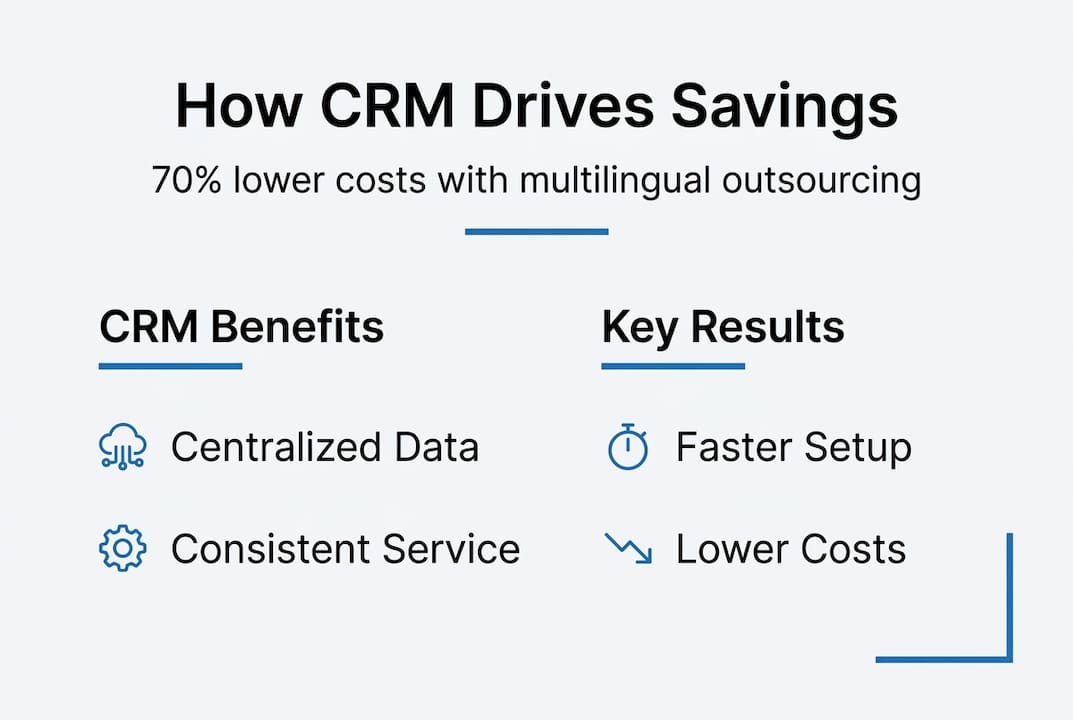
For telecom and SaaS companies managing subscriptions, billing cycles, and technical support across multiple markets, this consistency is not optional. It is the baseline. CRMs also support omnichannel operations, meaning your outsourced team can handle email, chat, voice, and social from a single interface without switching between disconnected tools.
Key capabilities that CRMs bring to outsourced multilingual support:
- Unified customer profiles across all channels and languages
- Automated ticket routing based on language, region, or issue type
- Real-time dashboards for SLA tracking and performance visibility
- Audit trails that support compliance and quality assurance
- Workflow templates that standardize responses across markets
If you want to optimize contact center workflow across regions, CRM configuration is where that work begins. Understanding your multilingual support needs before selecting or customizing a CRM is equally important.
Pro Tip: Before deploying a CRM for multilingual outsourcing, verify that it supports i18n (internationalization) natively. This means the system can handle right-to-left scripts, variable text lengths, and locale-specific date or currency formats without custom workarounds that break under pressure.
Integration frameworks: Connecting CRMs to outsourced support
Knowing that CRM access matters is one thing. Actually connecting your CRM to an outsourced team’s environment is where most projects stall. The integration method you choose affects cost, timeline, and the long-term flexibility of your support operation.
Key integration methodologies include REST APIs, CTI (computer telephony integration) middleware, and pre-integrated solutions. Each has a distinct profile:
| Method | Setup time | Relative cost | Best for |
|---|---|---|---|
| Pre-integrated solution | Same day to 1 week | Low | Fast deployment, standard workflows |
| REST API | 2 to 4 weeks | Medium | Custom data flows, SaaS platforms |
| CTI middleware | 4 to 8 weeks | Medium to high | Telecom voice integration, complex routing |
| Full custom build | 8 to 16 weeks | High | Enterprise, proprietary systems |
For most mid-sized telecom or SaaS companies, REST APIs offer the best balance of speed and flexibility. CTI middleware is worth the investment if voice call data needs to sync with CRM records in real time, which is common in telecom environments where call recordings, IVR paths, and agent notes all need to live together.
A practical integration process follows five steps:
- Needs assessment: Map what data the outsourced team needs and when they need it during an interaction.
- Vendor review: Confirm your CRM vendor supports the integration method and has documentation for outsourced environments.
- Integration phase: Build and configure the connection, including authentication, data mapping, and field alignment.
- Testing: Run parallel operations with both in-house and outsourced teams to catch mapping errors and latency issues.
- Launch and monitor: Go live with clear SLAs and monitoring dashboards in place from day one.
Common pitfalls include misaligned data mapping (where a field in your CRM does not match the outsourced team’s system), SLA gaps caused by time zone differences, and underestimating the time needed for agent training on the integrated environment. Exploring cost-effective integration strategies early in the process helps avoid budget overruns. If you are building out a multilingual call center process, integration architecture decisions made now will shape your scalability for years. For companies evaluating outsourced contact center services, integration readiness should be a top vendor qualification criterion.
Cost savings and ROI: Backed by industry data
The financial case for CRM-enabled outsourcing is not theoretical. It is documented across industries and company sizes. Labor savings alone range from 30 to 70 percent when outsourcing CRM-driven support functions, with data entry automation adding another 50 to 70 percent reduction in manual processing costs.

The broader market reflects this momentum. The CRM BPO market was valued at $16.8 billion in 2024 and is projected to reach $24 billion by 2030. That growth is driven by companies recognizing that outsourcing with CRM integration delivers measurable returns, not just cost reduction.
| Savings category | Typical range | Example scenario |
|---|---|---|
| Labor costs | 30 to 70% | Telecom company saves $1M annually |
| Data entry and admin | 50 to 70% | SaaS firm automates ticket logging |
| Infrastructure costs | 20 to 40% | Shared VOIP and CRM licensing |
| Onboarding time | 30 to 50% | Pre-integrated platforms cut ramp time |
“CRM integration is not a support cost. It is a strategic investment that determines whether outsourcing delivers compounding returns or stalls at the first quality review.”
For telecom companies specifically, the ROI math is compelling. A team handling 50,000 customer interactions per month across five languages, using a well-integrated CRM, can reduce average handle time by 15 to 20 percent simply because agents have context before the conversation starts. Multiply that across a year and the savings from cost-effective outsourcing compound quickly. SaaS companies benefit similarly through reduced churn, since agents with full subscription and usage data can address cancellation intent proactively rather than reactively.
Best practices and real-life pitfalls in multilingual CRM outsourcing
Operational returns only materialize when you avoid the mistakes that quietly erode quality and efficiency. Multilingual CRM deployments have a specific set of failure points that are easy to miss until they become expensive.
Text expansion is one of the most overlooked issues. When you translate a CRM interface or template from English into German or Finnish, the text often grows by 30 to 40 percent. If the UI was not designed with this in mind, fields overflow, buttons disappear, and agents work around broken layouts instead of focusing on customers. Default translations are another trap. Automated translation tools handle generic phrases well but fail on support-specific language where context matters. A billing dispute phrase that sounds neutral in English can read as accusatory in Portuguese.
Data silos remain the most persistent structural problem. When outsourced teams use a separate instance of the CRM, or a different tool entirely, customer histories fragment. Agents see partial records. Escalations lose context. Quality drops.
Best practices that prevent these failures:
- Design for the longest language first. Build CRM templates and UI components around German or Finnish before finalizing layouts.
- Use glossaries and translation memory tools to maintain consistency across languages and agents.
- Run quarterly data audits to catch silo formation before it affects customer experience.
- Establish bilingual QA reviewers who can assess both the technical accuracy and cultural appropriateness of agent responses.
- Document escalation paths by language and region so agents always know where to route complex issues.
Pro Tip: Before going live with a multilingual CRM deployment, run a full simulation with native speakers from each target language. They will catch layout breaks, translation errors, and workflow gaps that your internal team will miss because they are too close to the English version.
For teams building out telecom support, reviewing tips for outsourcing telecom support alongside your CRM configuration plan is a practical starting point. Evaluating best telecom call center platforms with multilingual CRM compatibility built in will save significant rework later.
The hidden differentiator: Why CRM-driven outsourcing excels as you scale
Most conversations about outsourcing start and end with cost. That framing misses what actually separates high-performing outsourced operations from ones that plateau or regress. The real differentiator is process visibility, and CRMs are what make that visibility possible at scale.
We have seen teams that launch outsourcing with solid cost projections but skip the work of mapping bilingual workflows inside their CRM. Everything looks fine at 500 interactions per week. At 5,000, the cracks appear. Routing logic breaks under volume. SLA tracking becomes manual. Supervisors lose sight of which language queues are underperforming. The CRM was there, but it was not configured to support scale.
Conventional wisdom says pick the right technology and the rest follows. Our experience says the opposite. Technology selection matters far less than how deeply you customize and instrument your CRM for multilingual, outsourced workflows. Teams that invest in custom reporting, language-specific SLA thresholds, and real-time dashboards for outsourced supervisors consistently outperform those that treat CRM configuration as a one-time setup task. A scalable outsourcing strategy is built on this kind of operational rigor, not just vendor selection.
Leverage CRM-enabled outsourcing for your support goals
The frameworks in this article give you a clear path from CRM integration to measurable multilingual support outcomes. But applying them across real telecom and SaaS environments requires more than a checklist. It requires a partner who has done it before, across languages, time zones, and CRM platforms.

At CallTech Outsourcing, we have spent nearly 20 years building CRM-integrated support operations for companies that cannot afford to compromise on quality or consistency. Our teams work in more than 15 European languages, with infrastructure designed to connect directly to your existing CRM environment. Whether you are scaling outsourced contact center services for the first time or optimizing an existing multilingual setup, we can help you build an operation that performs under pressure. Explore how we approach global contact center workflow to see what a fully integrated outsourcing model looks like in practice.
Frequently asked questions
How do CRM systems improve the quality of outsourced customer support?
CRM systems centralize customer data, giving outsourced agents full interaction histories and the tools to deliver consistent, informed service across every channel and language. This eliminates the context gaps that typically cause quality to drop when support is handled externally.
Which CRM integration method is fastest for connecting to an outsourced call center?
Pre-integrated CRM solutions allow for same-day to one-week setup, while REST APIs typically require two to four weeks depending on data complexity. CTI middleware takes longer but is often necessary for voice-heavy telecom environments.
What cost savings are typical when outsourcing CRM-driven support?
Companies consistently achieve 30 to 70 percent savings on labor and 50 to 70 percent reductions in data entry costs. Telecom companies have documented individual cases where annual savings exceeded $1 million through CRM-powered outsourcing.
What are the main challenges in multilingual CRM outsourcing?
Text expansion, translation context failures, and data silos are the three most common challenges. Each can be mitigated through intentional CRM design, glossary-driven translation tools, and unified data architecture across in-house and outsourced teams.
